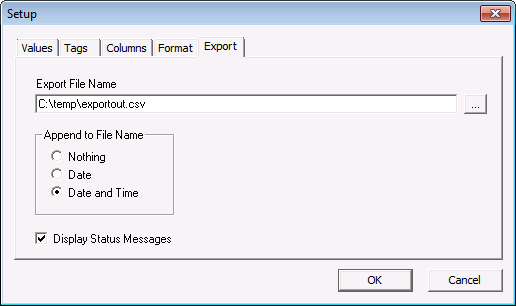
The Export page is used to specify the name of the export file.
When data is retrieved, it is written to a .csv file and then imported into the .xls file. To append the date and time to the file name, select an Append to File Name option, which include appending Nothing, the Date, or the Date and Time to the exported file name.
If the Display Status Message option is enabled, a message box is shown when the data is being retrieved. This box shows the progress and lists status messages. See CygNet Excel Export Error and Status Messages for more information.
|
|
|

